










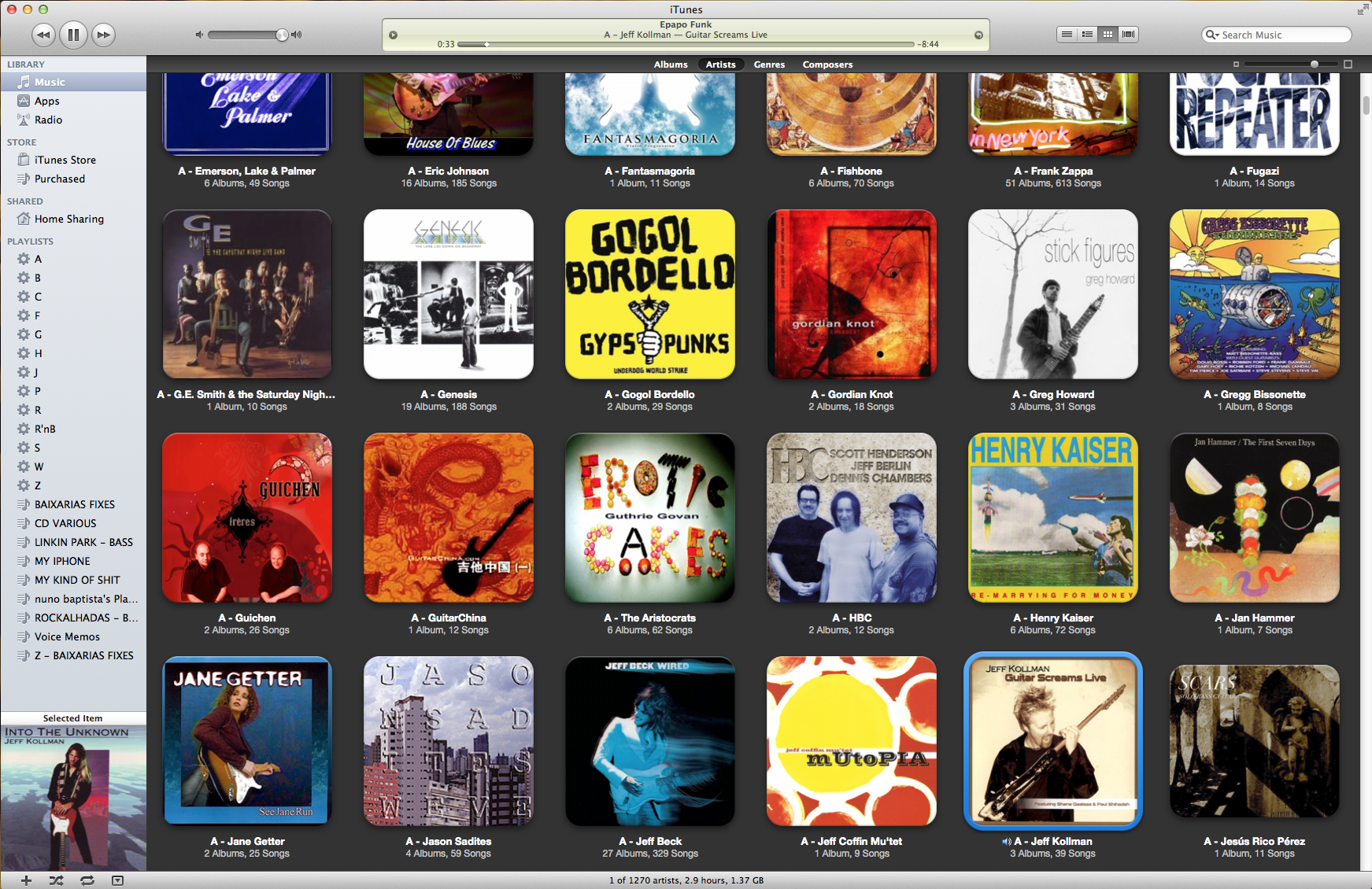


There seems to have been an explosion lately in "audiophile" music players for Mac OS X lately. Though iTunes wiped out the need for competition when it was introduced, it has become a huge, multimedia and store program, leaving many people wanting something simpler. For a while, that was Play and one or two others, but then Amarra came on the scene. Offering higher-quality playback, it has become famous among audiophiles, alongside its biggest competitor, Pure Vinyl (and now Pure Music). As those two have fought it out in the commercial arena, the developer of Play came up with a free program, AyreWave, in conjunction with Ayre, which combined the simplicity of Play with high-quality 64-bit playback. This now leads the pack of the free players (after the association was dropped and the program re-named Decibel) if you want a simpler program and potentially better sound than you get using iTunes.
Many people feel that using the audiophile-oriented music players improves the sound with their equipment. At the very least, they offer features not available in iTunes, such as upsampling and access to the audio filters built into Mac OS X. The latter is especially useful as Mac OS X has a built-in 31-band equalizer which is very handy for learning about frequency response. However their main advantages over iTunes for improving the quality of the computer's output is a dedicated playback engine different to the one in Mac OS X or iTunes, as well as the ability to switch the system output to the sample rate of the track being played, which is important if you have a mix of high-resolution as well as CD quality music and wish to have bit-perfect output every time. Additionally, they can entirely take over the output device ("hog mode") giving the program exclusive access which prevents system beeps and other programs interfering with music playback.
So for the curious, here is a list of the players currently available that I know of, along with some basic information about them.
Feb 2019: Removed Decibel, Nightingale and Fidelia as they haven't been updated in years.
Amarra Luxe by Sonic Studio
http://www.sonicstudio.com/amarra/
Commercial, demo available for download. Apple, iOS and Windows.
Amarra sQ+ for Mac, Amarra Play for iOS and Amarra Luxe for Mac and Windows. The latter is a fully-fledged player which supports DSD, FLAC and MQA and includes up-sampling and EQ options. They were one of the very first companies to come out with a player focussed on improving sound quality and have changed their offerings over the years.
Audirvana Plus
Commercial, demo available for download. Apple and Windows.
http://audirvana.com/
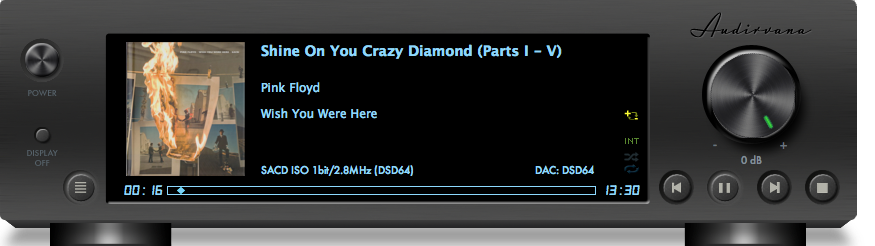
Aimed at the high-fidelity crowd, contains a plethora of features ranging from iZotope or SoX-based up-sampling (with comprehensive options) to device integer and exclusive access modes. It can also suspend Spotlight and Time Machine for dedicated music servers and either directly play DSD files for supported players over USB or on-the-fly convert them to high-res PCM. Playback can be via its own playlist, iTunes library sync or using an iTunes Integrated Mode. The latest versions include support for TIDAL, quobuz and HighResAudio streaming.
BitPerfect
Commercial, Apple.
http://itunes.apple.com/us/app/bitperfect/id455545700
Integrating with iTunes, this software sits in your menu bar and feeds music via Integer Mode to your DAC, matching the sample rate in the process. Great if you want a simple and cheap solution while still using iTunes. Now supports up-sampling and DSD playback.
Elmedia Player
Free/Commercial, Apple
http://mac.eltima.com/media-player.html
Free with commercial "pro" version available with more features.
A multi-media player that also supports Youtube. The commercial version is required to be able to save Youtube videos and stream to Airplay devices.
HQPlayer
http://Signalyst.com
Commercial.
An up-sampling (or re-sampling) music player that allows the user to choose numerous algorithms and even DSD conversion and network transmission, potentially allowing for improved sound quality from DACs with good hardware but poor or no (ie: non-oversampling) digital filter implementations. Can be used with Raspberry Pi and similar acting as endpoints, with the NAA daemon installed.
JRiver Media Player (Mac)
http://www.jriver.com/mac.html
Commercial
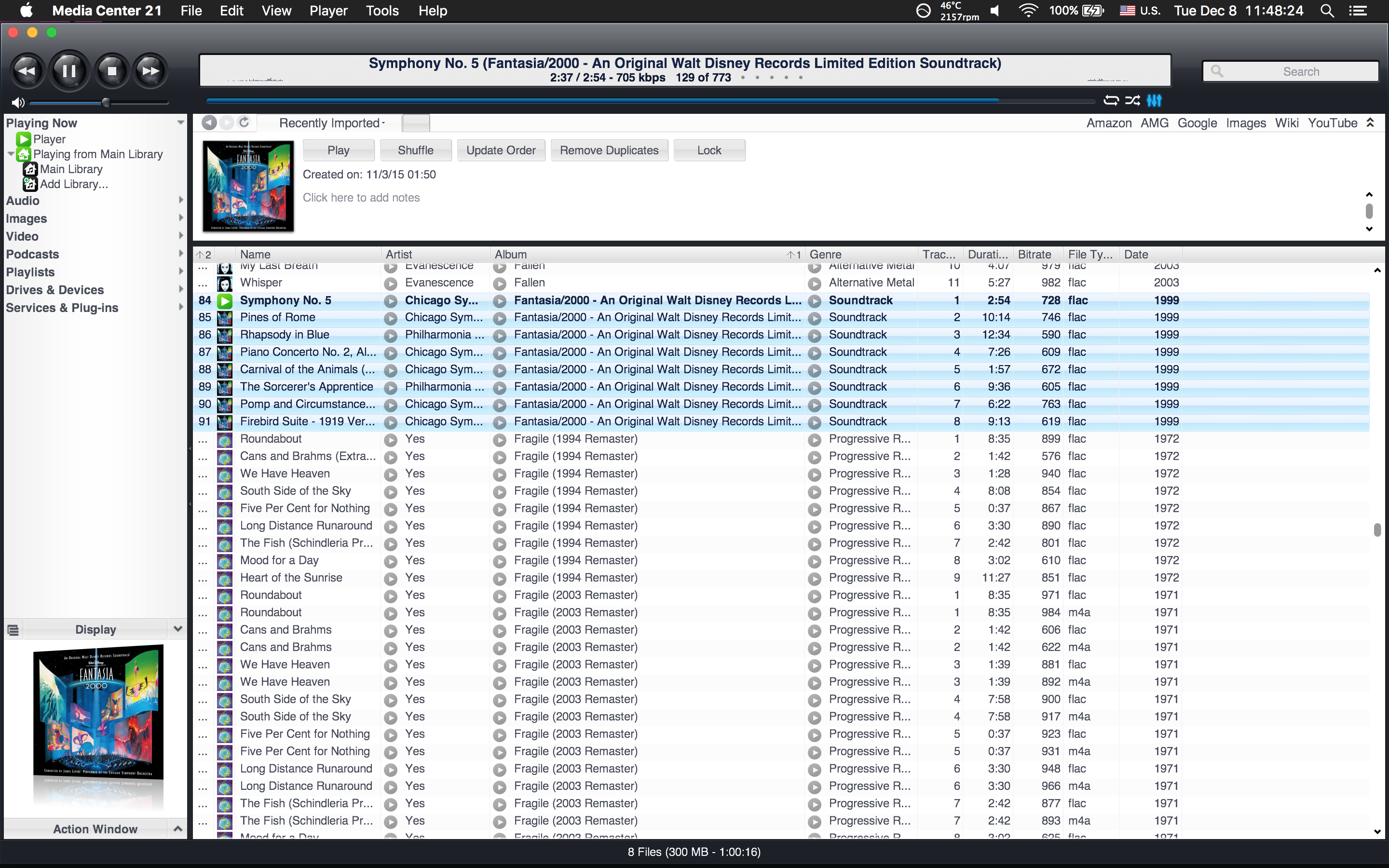
Well-known for its fully-featured Windows software, which includes video playback.
Pure Music by Channel D
http://www.channld.com/puremusic/index.html
Commercial, demo available for download.
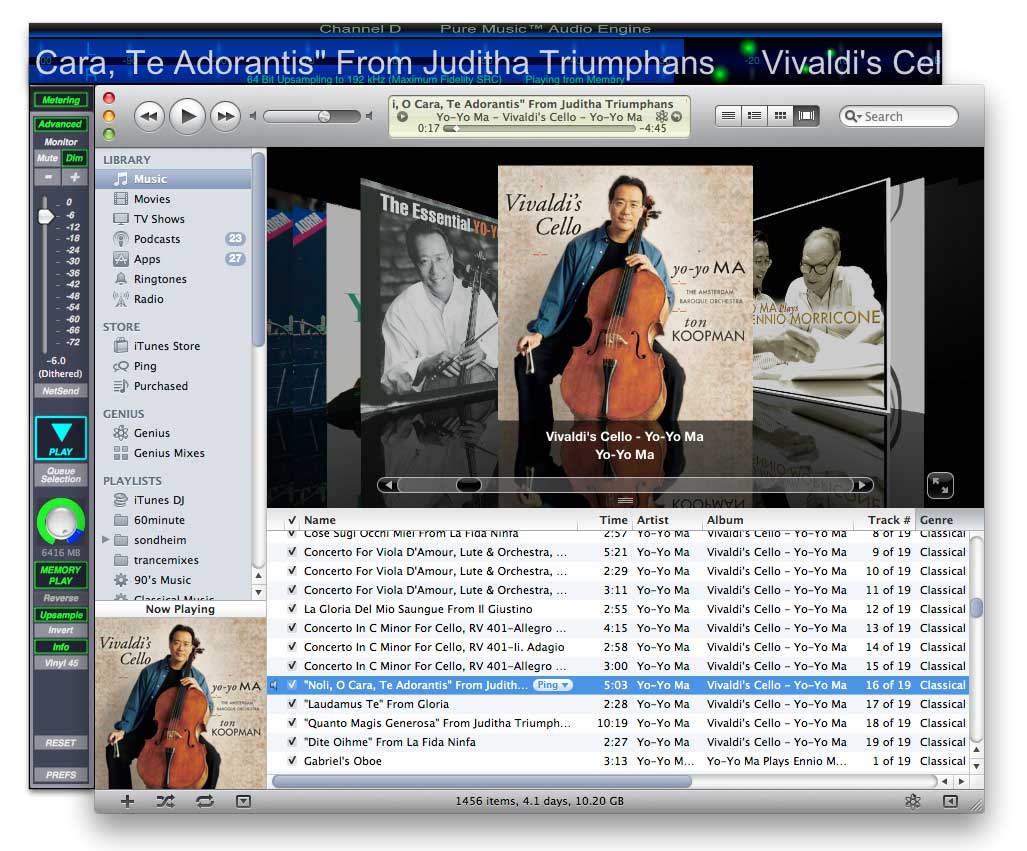
Based upon Pure Vinyl and using its own playback engine, like Amarra, integrates with iTunes, running in a window alongside and can re-sample music on the fly. Unlike Amarra, it requires iTunes to be running to select tracks, but offers a considerable slew of other options.
Roon
https://roonlabs.com
Commercial
Intended to completely revisit the storage and playback of music in a way that is more interesting, it can play back music locally, from storage or from TIDAL or Qobuz, and gives a highly graphical and carefully curated interface to your music. With the software installed on computers, including Raspberry Pi and similar, it can play music from the server to any device on your network, including multiple devices separately at the same time, and be controlled by any of them too.
Swinsian
http://swinsian.com
Commercial, 30 day trial period.
Designed to entirely replace iTunes, including iDevice sync support. It has, among other features Last.fm integration, watch folders, device sync transcoding rules, a duplicate finder and Airplay support.
VLC (VideoLan Client)
http://videolan.org/vlc
Free.
A multimedia client which plays back most audio and video formats and also supports streaming and other features.
Vox by Alessio Nonni
http://coppertino.com/
Free, except their Music Cloud music storage system.
While it has maintained its simple player interface, the features have grown this player into something interesting to audiophiles with automatic sample rate switching, device hog mode, neat playback features such as auto-crossfade between songs, LastFM and Soundcloud support, autoload from folder and a bunch of other features worth checking out. The makers are now offering a service allowing to upload and stream your music, as well as sync it with Vox on your iPhone.
Many people feel that using the audiophile-oriented music players improves the sound with their equipment. At the very least, they offer features not available in iTunes, such as upsampling and access to the audio filters built into Mac OS X. The latter is especially useful as Mac OS X has a built-in 31-band equalizer which is very handy for learning about frequency response. However their main advantages over iTunes for improving the quality of the computer's output is a dedicated playback engine different to the one in Mac OS X or iTunes, as well as the ability to switch the system output to the sample rate of the track being played, which is important if you have a mix of high-resolution as well as CD quality music and wish to have bit-perfect output every time. Additionally, they can entirely take over the output device ("hog mode") giving the program exclusive access which prevents system beeps and other programs interfering with music playback.
So for the curious, here is a list of the players currently available that I know of, along with some basic information about them.
Feb 2019: Removed Decibel, Nightingale and Fidelia as they haven't been updated in years.
Amarra Luxe by Sonic Studio
http://www.sonicstudio.com/amarra/
Commercial, demo available for download. Apple, iOS and Windows.
Amarra sQ+ for Mac, Amarra Play for iOS and Amarra Luxe for Mac and Windows. The latter is a fully-fledged player which supports DSD, FLAC and MQA and includes up-sampling and EQ options. They were one of the very first companies to come out with a player focussed on improving sound quality and have changed their offerings over the years.
Audirvana Plus
Commercial, demo available for download. Apple and Windows.
http://audirvana.com/
Aimed at the high-fidelity crowd, contains a plethora of features ranging from iZotope or SoX-based up-sampling (with comprehensive options) to device integer and exclusive access modes. It can also suspend Spotlight and Time Machine for dedicated music servers and either directly play DSD files for supported players over USB or on-the-fly convert them to high-res PCM. Playback can be via its own playlist, iTunes library sync or using an iTunes Integrated Mode. The latest versions include support for TIDAL, quobuz and HighResAudio streaming.
BitPerfect
Commercial, Apple.
http://itunes.apple.com/us/app/bitperfect/id455545700
Integrating with iTunes, this software sits in your menu bar and feeds music via Integer Mode to your DAC, matching the sample rate in the process. Great if you want a simple and cheap solution while still using iTunes. Now supports up-sampling and DSD playback.
Elmedia Player
Free/Commercial, Apple
http://mac.eltima.com/media-player.html
Free with commercial "pro" version available with more features.
A multi-media player that also supports Youtube. The commercial version is required to be able to save Youtube videos and stream to Airplay devices.
HQPlayer
http://Signalyst.com
Commercial.
An up-sampling (or re-sampling) music player that allows the user to choose numerous algorithms and even DSD conversion and network transmission, potentially allowing for improved sound quality from DACs with good hardware but poor or no (ie: non-oversampling) digital filter implementations. Can be used with Raspberry Pi and similar acting as endpoints, with the NAA daemon installed.
JRiver Media Player (Mac)
http://www.jriver.com/mac.html
Commercial
Well-known for its fully-featured Windows software, which includes video playback.
Pure Music by Channel D
http://www.channld.com/puremusic/index.html
Commercial, demo available for download.
Based upon Pure Vinyl and using its own playback engine, like Amarra, integrates with iTunes, running in a window alongside and can re-sample music on the fly. Unlike Amarra, it requires iTunes to be running to select tracks, but offers a considerable slew of other options.
Roon
https://roonlabs.com
Commercial
Intended to completely revisit the storage and playback of music in a way that is more interesting, it can play back music locally, from storage or from TIDAL or Qobuz, and gives a highly graphical and carefully curated interface to your music. With the software installed on computers, including Raspberry Pi and similar, it can play music from the server to any device on your network, including multiple devices separately at the same time, and be controlled by any of them too.
Swinsian
http://swinsian.com
Commercial, 30 day trial period.
Designed to entirely replace iTunes, including iDevice sync support. It has, among other features Last.fm integration, watch folders, device sync transcoding rules, a duplicate finder and Airplay support.
VLC (VideoLan Client)
http://videolan.org/vlc
Free.
A multimedia client which plays back most audio and video formats and also supports streaming and other features.
Vox by Alessio Nonni
http://coppertino.com/
Free, except their Music Cloud music storage system.
While it has maintained its simple player interface, the features have grown this player into something interesting to audiophiles with automatic sample rate switching, device hog mode, neat playback features such as auto-crossfade between songs, LastFM and Soundcloud support, autoload from folder and a bunch of other features worth checking out. The makers are now offering a service allowing to upload and stream your music, as well as sync it with Vox on your iPhone.
Last edited:


