Head-Fi.org › Forums › Equipment Forums › Portable Source Gear › List of DACs that work with iPad
New Posts  All Forums:Forum Nav:

List of DACs that work with iPad - Page 47

post #691 of 699
Antelope Audio Zodiac
Woo Audio WA7

Both work perfectly from the CCK.
post #692 of 699
I used to have the solar charging Kudo case for iPad 2. It gives you incredible battery life + Mini HDMI out and a USB port for charging and synching (possibly no need for the cumbersome CCK). You can charge Other devices via its USB port too, iPhone , iPods, headsets etc. possibly even run a ISB hub off of it.

I sold my Kudo case but might buy a new one...if it means I could ditch that high leverage connection of the CCK to 30 PIN.

Does anyone have one they could test?

If also means you aren't stressing your 30 pin connection at all for people on the go.
post #693 of 699
Quote:

Originally Posted by JoeFonebone View Post


Has anyone been able to use the hiFace2 with an iPad mini (iOS 6.1.3) ?


I have been trying to get the HiFace2 to work with an iPad mini for two weeks, including loading updated firmware after I informed M2Tech about the iOS 6.1.3 20 mA issue. With the iPad mini and a CCK, I've connected the hiFace2 directly to the CCK and to the CCK through a number of different powered and unpowered hubs, and wiht a Y power USB cable (not UNITECH, I'm waiting for that to arrive from China - it took the slow boat). HiFace2 does not work, i.e. no sound when connected to coax input of DAC. The hiFace2 works fine from a windows 7 PC, and the iPad mini has no problem with a CCK to DAC USB connection. [Of course, the hiFace2 is intended for a DAC with no USB.]

I think M2Tech products can't work driverless, so they won't work with iPad/CCK even using powered USB Hubs (or Unitek) that could pass iPad power check.

My M2Tech Young USB DAC never worked with iPad/CCK and it's based on same technology used for the HiFace2.

Just to be sure: does the HiFace2 work driverless in windows 7? Just uninstall M2tech drivers and test it in your PC. If it will not works in your PC driverless it'll never works with iPad/CCK.

post #694 of 699
Quote:
Originally Posted by Thraex View Post

I think M2Tech products can't work driverless, so they won't work with iPad/CCK even using powered USB Hubs (or Unitek) that could pass iPad power check.

My M2Tech Young USB DAC never worked with iPad/CCK and it's based on same technology used for the HiFace2.

Just to be sure: does the HiFace2 work driverless in windows 7? Just uninstall M2tech drivers and test it in your PC. If it will not works in your PC driverless it'll never works with iPad/CCK.

Thraex - Thanks. You've been a big help on this thread and others. I'm trying to adapt some of your ideas in the mobile/headphone space to mobile/automobile. In this case, the goal is to get 16/44 and 24/96 FLAC from a Seagate Wireless Plus to the coax iput of a car-based processor. At this point, I'm trying to make it happen via an iPad mini and CCK. 


According to the M2Tech HiFace2 user manual - "iPad also supports USB Audio Class 2.0. This means that it is possible to connect the hi Face Two to an iPad through the latter’s camera kit, which exports a high speed host USB port. The limited supply current required by the hiFace Two makes it possible to power it even by the reduced current capabilities provided by the iPad. Once the hiFace Two is connected, the iPad automatically set it as default output device."


Unfortunately, no luck no matter what I do. The folks at M2Tech, although helpful, have avoided answereing the question "Have you ever sucessfully connected the HiFace2 to an iPad mini (iOS 6.1.3)?" Hmmmmm.


I ordered a Matrix X-SPDIF and that Unitech cable (although the Y-power cable I'm using hasn't helped. If the X-SPDIF works, the hiFace2 is going back. If not, I'll probably get a Google Nexus 7. I've read that there are a few Android apps that can handle 24/96 on an Android tablet. (https://play.google.com/store/apps/details?id=com.neutroncode.mp&hl=en and http://www.extreamsd.com/USBAudioRecorderPRO/) I'm pretty fed up with Apple this point. If MSFT had a 7 inch Widows 8 tablet, I'd get that.


Have you heard anything about use of the Matrix X-SPDIF with an iPad mini?

post #695 of 699
Quote:
Originally Posted by JoeFonebone View Post

Have you heard anything about use of the Matrix X-SPDIF with an iPad mini?

No, but my iBasso D7 has an Xmos chip similar to the Matrix X-SPDIF and it works with iPad/CCK (or the newer LtUSBCA) with the Unitek USB Hub cable + USB charger + Y USB cable (one end power only).

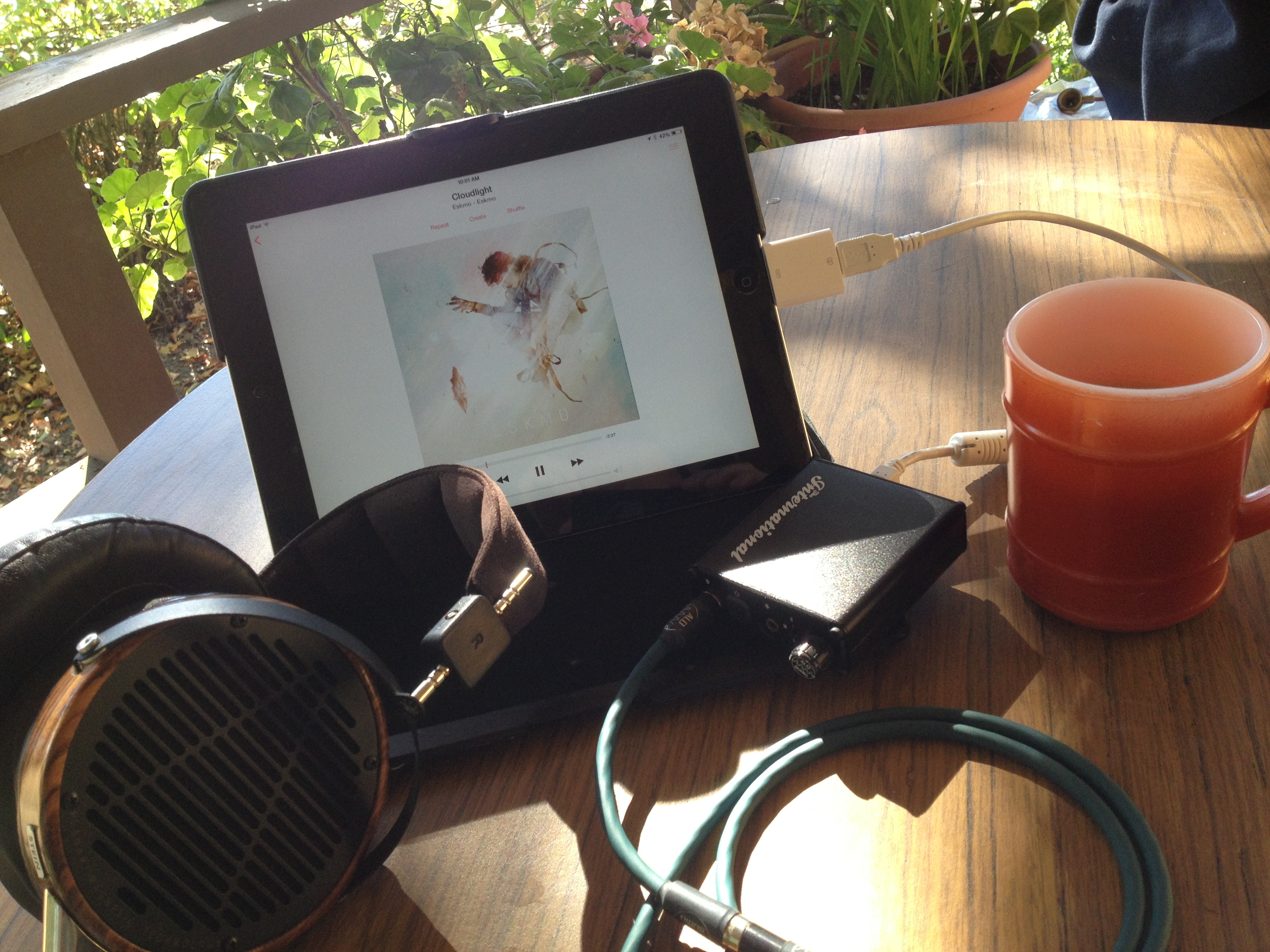
This is my portable setup:


Edited by Thraex - Yesterday at 2:54 pm
post #696 of 699
Quote:
Originally Posted by Thraex View Post

No, but my iBasso D7 has an Xmos chip similar to the Matrix X-SPDIF and it works with iPad/CCK (or the newer LtUSBCA) with the Unitek USB Hub cable + USB charger + Y USB cable (one end power only).


How did you get around the software? Doesn't the Sidewinder require manual driver installation?

post #697 of 699
I have also got my D7 to work with my iPad Mini (via a powered hub).
post #698 of 699
Quote:
Originally Posted by ProtegeManiac View Post


How did you get around the software? Doesn't the Sidewinder require manual driver installation?


The D7 works also driverless (Xmos chip inside) at least up to USB 1.1 specs (24bit/96Khz), so a driver isn't required to connect the iPad.

ASIO driver needed for using it with a PC up to 24/192.


Unfortunately the Xmos chip inside my D7 can't handle 176.4Khz files with or without drivers, so avoid it if you care to have that freq too.

A firmware update can't cure the 176.4Khz bug, but newer Xmos chips are OK.


Edited by Thraex - Today at 2:18 pm
post #699 of 699
Quote:
Originally Posted by Thraex View Post


The D7 works also driverless (Xmos chip inside) at least up to USB 1.1 specs (24bit/96Khz), so a driver isn't required to connect the iPad.

ASIO driver needed for using it with a PC up to 24/192.


Unfortunately the Xmos chip inside my D7 can't handle 176.4Khz files with or without drivers, so avoid it if you care to have that freq too.

A firmware update can't cure the 176.4Khz bug, but newer Xmos chips are OK.


Thanks, I was wondering about that. At a meet a few months ago I couldn't get it to work with my laptop without the driver, I thought it was absolutely required.

New Posts  All Forums:Forum Nav:
  Return Home
  Back to Forum: Portable Source Gear
Head-Fi.org › Forums › Equipment Forums › Portable Source Gear › List of DACs that work with iPad